 The Virumi team
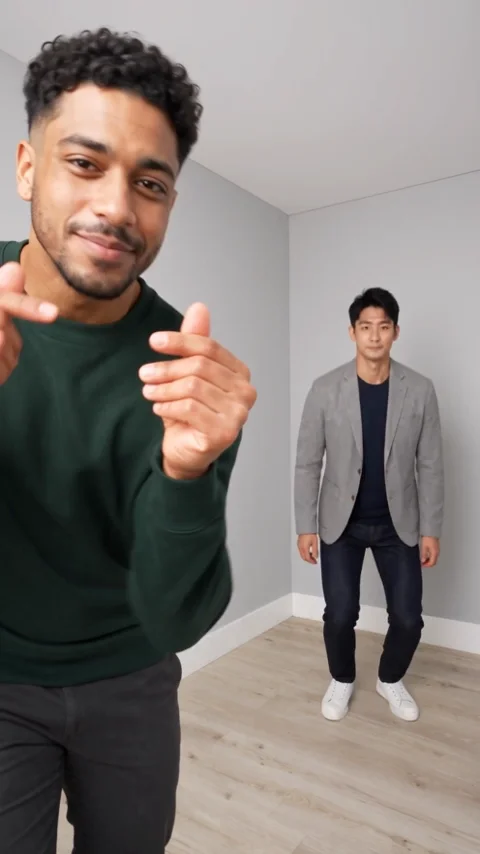
A Hop Hop Hop video depends on two recognizable people and a readable change of positions. Virumi’s two-photo version uses separate photos and produces an 8-second vertical video at Premium 480p for 20 credits.
Choose the photos in role order
Use a clear photo of each person, with their face and body outline visible. The first person begins in front; the second begins behind. They swap front/back positions after the cut, so choose two subjects who are easy to distinguish. Separate individual photos are required; a single group photo is not the two-photo input mode.
Create the video
- Open Hop Hop Hop.
- Choose one-photo or two-photo mode. Add the front person first; in two-photo mode, add the back person second.
- Check the displayed 8-second, 9:16 settings, selected 480p model and current quote. Two-photo mode offers Balanced or Premium; one-photo mode uses Premium.
- Confirm your available credits and start generation. If more credits are needed, compare the purchase amount with the displayed deficit.
- Review the finished video, then download the version with sound.
Check the cut as well as the opening
Watch the hops, crouch and hand gesture. Both faces should remain recognizable after the foreground/background exchange. A good opening frame alone does not establish that the whole sequence works. The displayed sample shows the actual two input photos and a generated result; other generations can differ in timing and body motion.
The current version offers 480p only. The sample is not a 720p demonstration, and Premium one-photo mode is now offered with an AI-generated partner. For the scene’s structure, read the Hop Hop Hop breakdown.
Input modes and current pricing
Two photos specify both identities and offer Balanced 480p (10 credits; $7.99 one-off) or Premium 480p (normally 20 credits; $9.99 one-off). One-photo mode is Premium 480p only, with a different AI partner. Hop Hop Hop already has a 20-credit regular rate. Standard one-photo mode and untested 720p/1080p combinations remain unavailable. Check the selected input mode and current quote before buying.